From application to first payday. Kaya mo 'yan.
KayaJob keeps your whole job hunt in one place: track every application, prepare HR requirements, practice interviews with AI, see your real take-home pay, and get home safe after the interview.
- Free to use
- Private to your account
- Works offline after first login
Tracker, vault, coach, payroll, commute, resume & scam check
Bus terminals nationwide in KayaNav
Free to download and use
Deductions computed: SSS, PhilHealth, Pag-IBIG, tax
Built for every step of the Filipino job hunt.
From the first application to your first payday, KayaJob gives you the tools that usually live in five different apps, notebooks and group chats.
- Job tracker
- Requirements vault
- AI interview coach
- Take-home pay
- KayaNav commute
- Scam checker
- Resume builder
- Offer comparison
- Smart reminders
- Fingerprint lock
- Dark mode
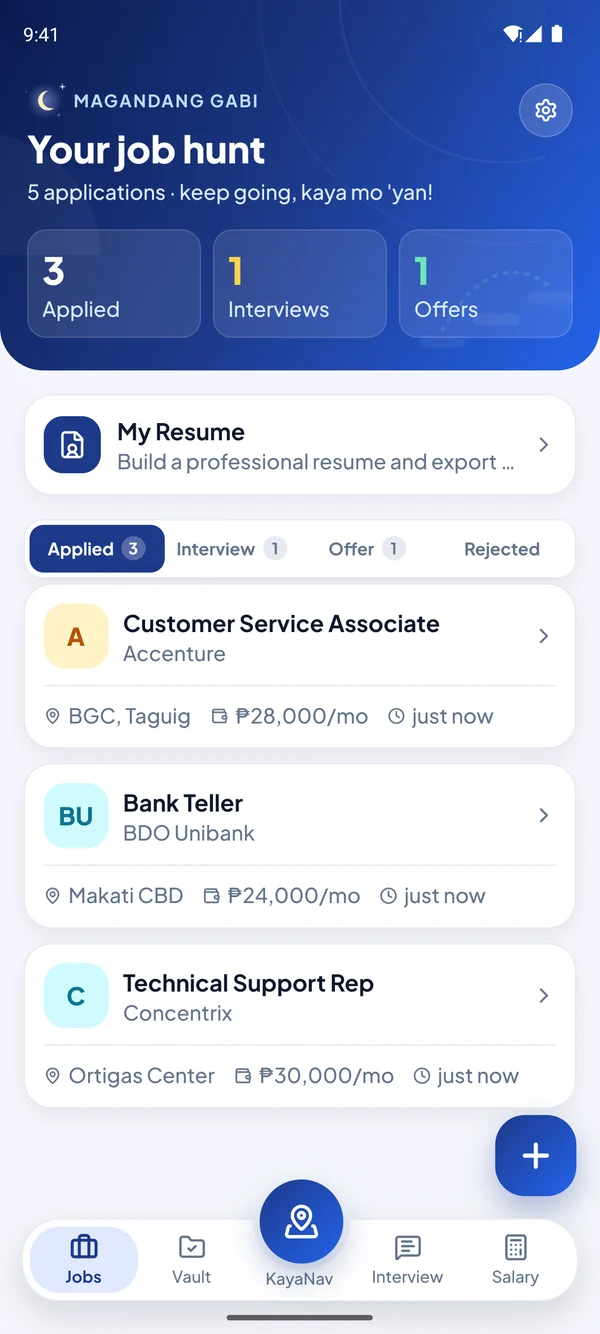
Every application, one swipe away.
Log a job in seconds and watch it move from Applied to Interview to Offer. No more lost screenshots or forgotten emails.
- Swipe right to move a job to the next stage, left to mark it rejected
- Push reminders the night before and 2 hours before, on every phone you use
- A nudge to follow up when a company goes quiet for a week
- Interview-day checklist so you never forget your IDs or resume
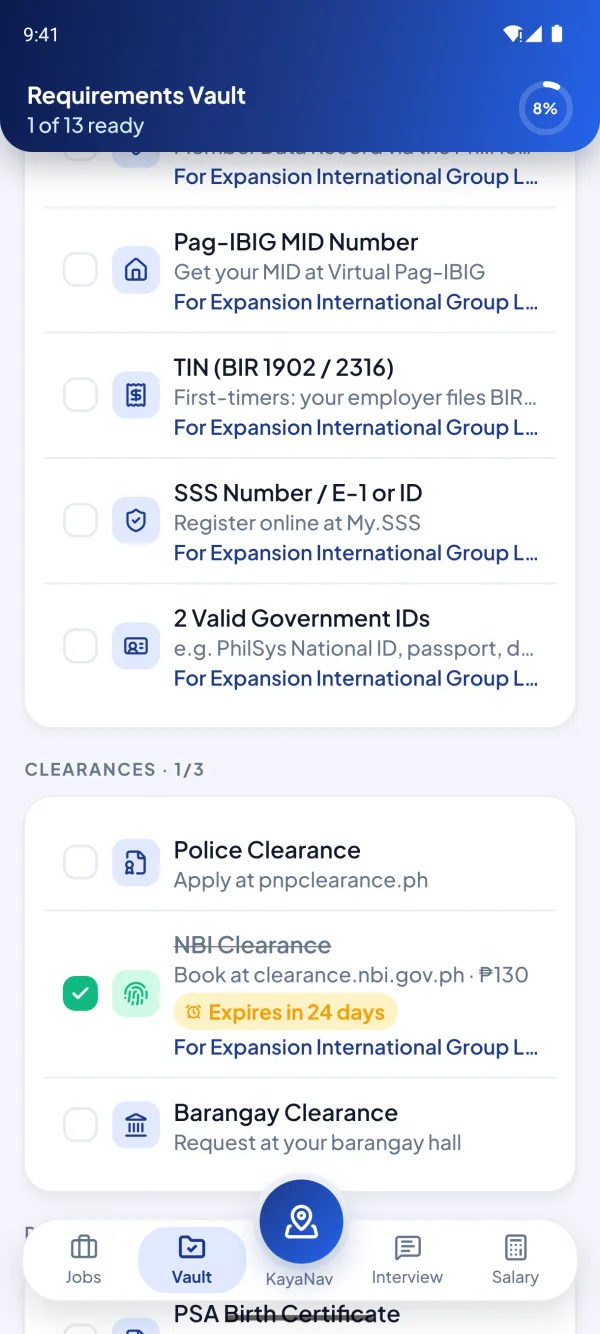
Never get caught missing an HR requirement.
SSS, PhilHealth, Pag-IBIG, TIN, NBI and more, all in one checklist with tips on where to get each one.
- Ready-made packages for BPO, bank, government and healthcare jobs
- Just tick each document as ready: no need to upload copies of your IDs
- Link documents to each job and see what’s ready at a glance
- Valid-until dates, with a reminder 30 and 7 days before an NBI clearance or license expires
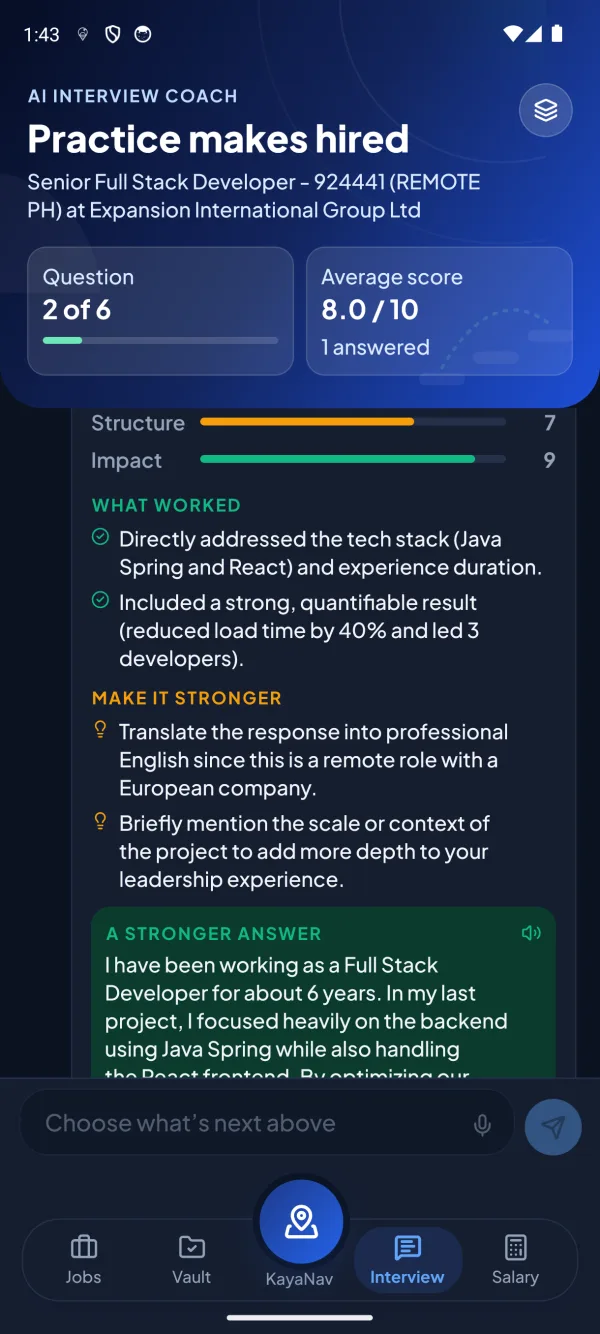
Practice makes hired.
Practice for the exact job you applied to. Answer by typing or speaking, then get a score, what you did well, what to fix, and a stronger version of your own answer.
- Questions made for your job, or tracks for BPO, retail, office, tech and first jobs
- A STAR checklist, a follow-up question like a real interviewer, and a summary at the end
- Speak your answers and hear each question read aloud in a Filipino voice
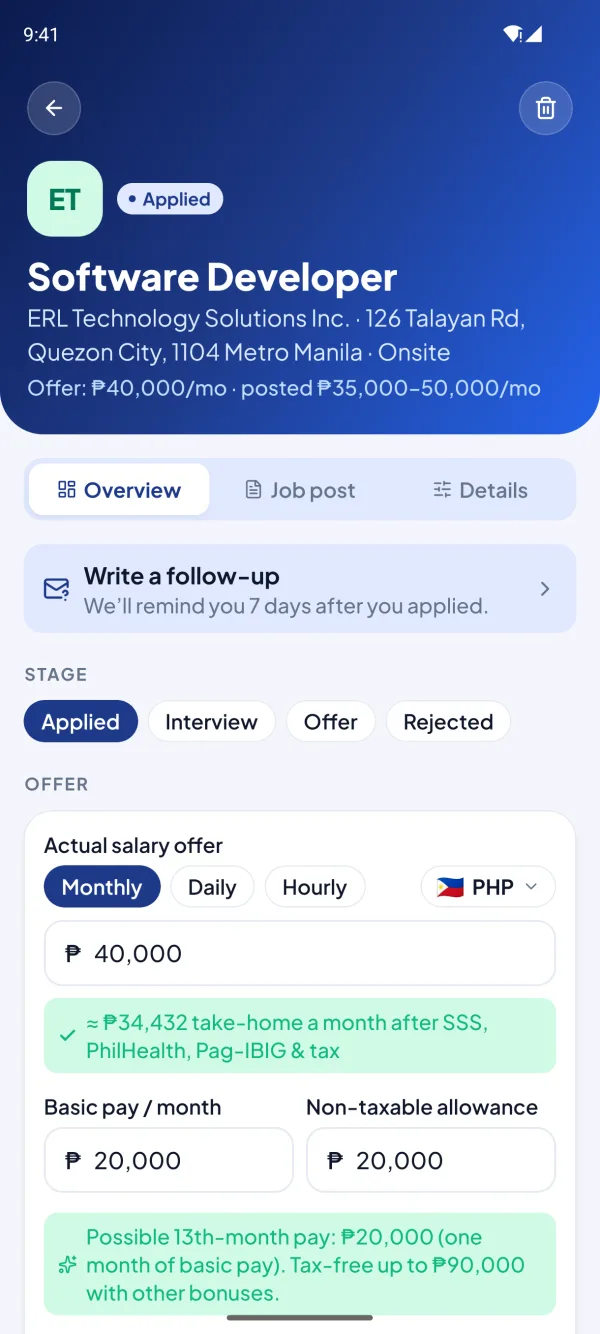
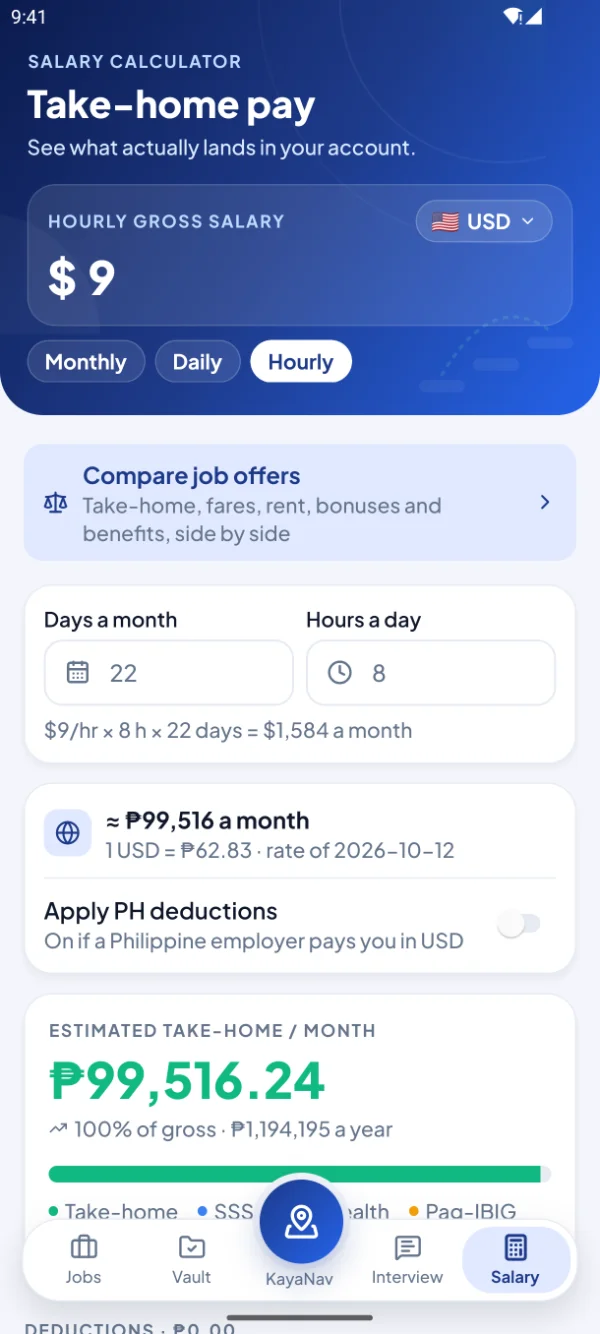
Know what actually lands in your account.
Monthly, daily or hourly pay in pesos or 20+ currencies, and your take-home after SSS, PhilHealth, Pag-IBIG and withholding tax.
- Clear breakdown of every deduction, with foreign pay converted at the latest rate, shown with its update date
- Compare any number of offers: take-home after fares and rent, plus 13th month, bonuses, leaves and benefits
- See how each offer measures up to your asking salary
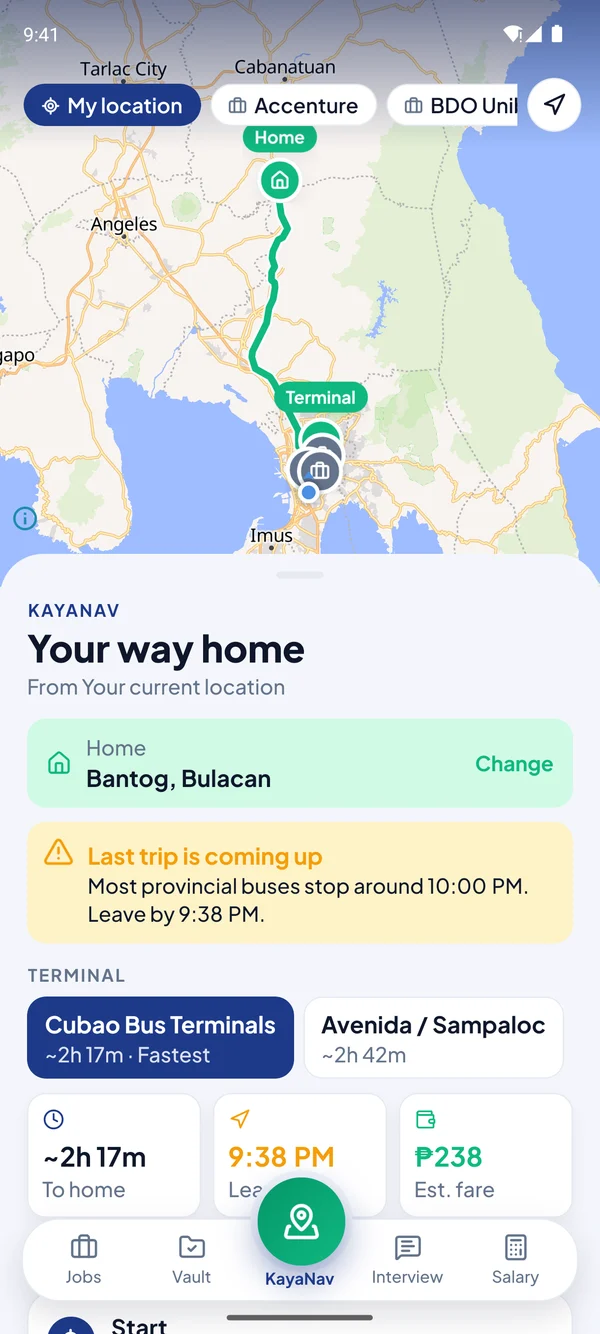
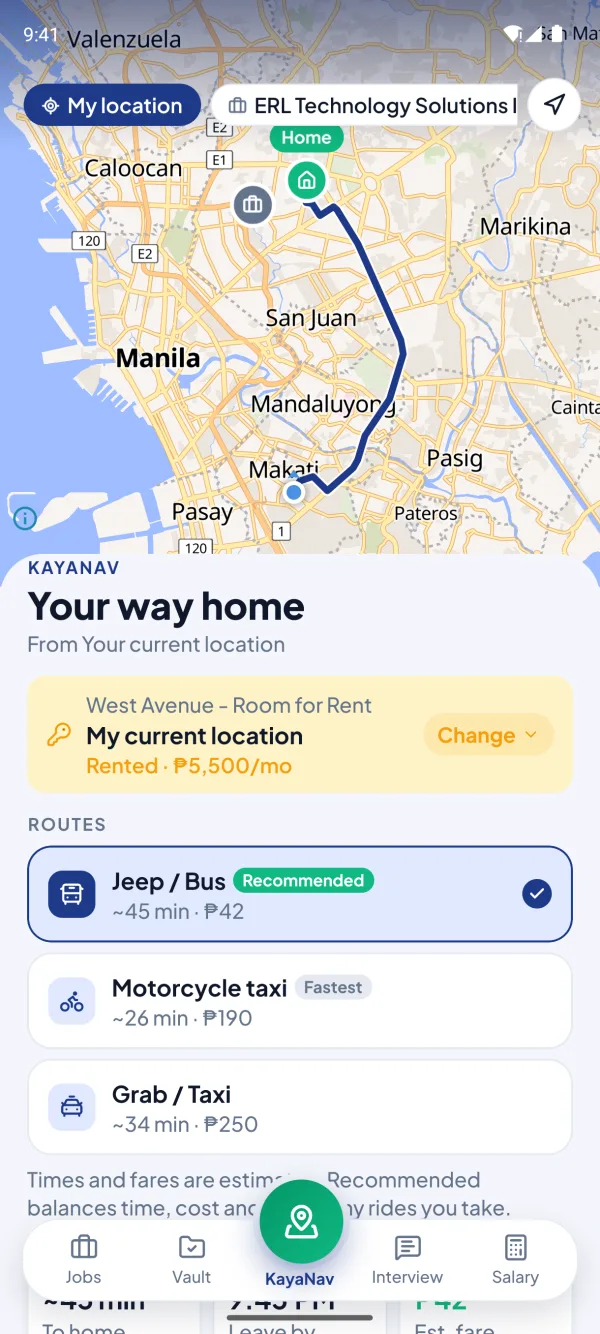
Get home safe after the interview.
Interviews in BGC or Makati but home is in the province? KayaNav plans the trip home, picks the best bus terminal, and warns you before the last trip leaves.
- 30+ bus terminals across Luzon, Visayas and Mindanao
- Route choices with a Recommended pick, plus the fastest and the cheapest
- Last-trip warning and live trip tracking in the background
- Save several homes, owned or rented, and pick one for each job
- Works offline: once you open a trip with internet, its map and route stay saved on your phone
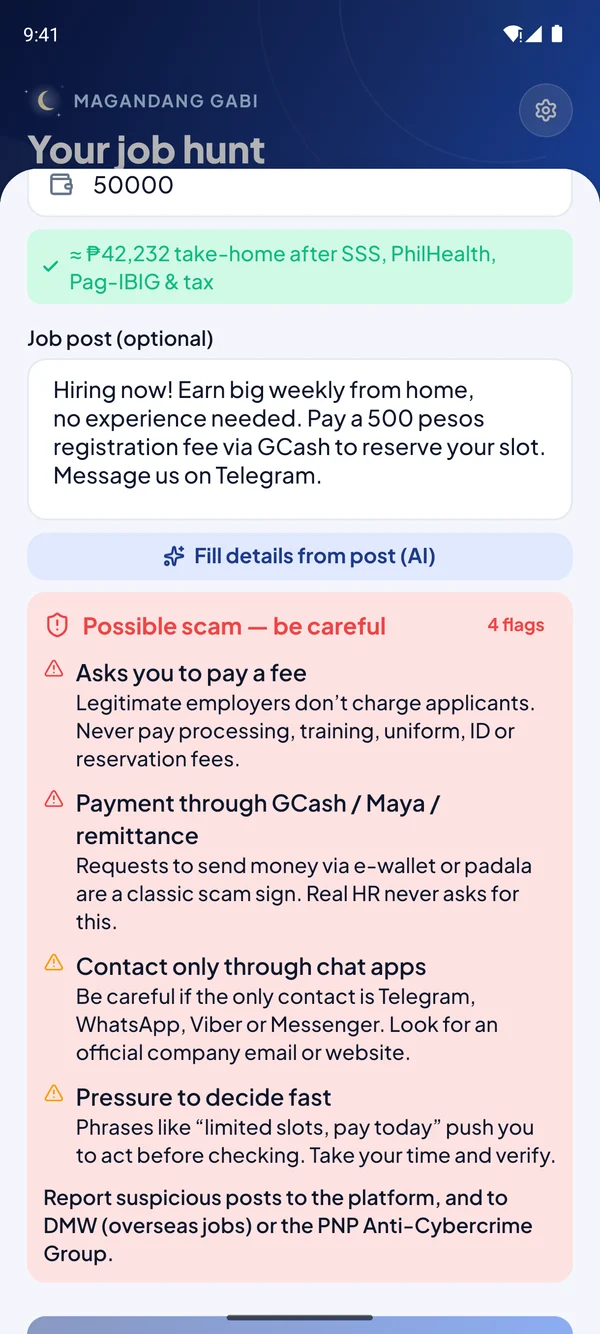
Spot fake job posts before they cost you.
Paste a job ad or recruiter message and KayaJob checks it for the red flags behind most job scams in the Philippines.
- Flags fees, GCash or padala requests, and chat-only contacts
- Explains each warning in plain words
- Checks the job link and the company against public records
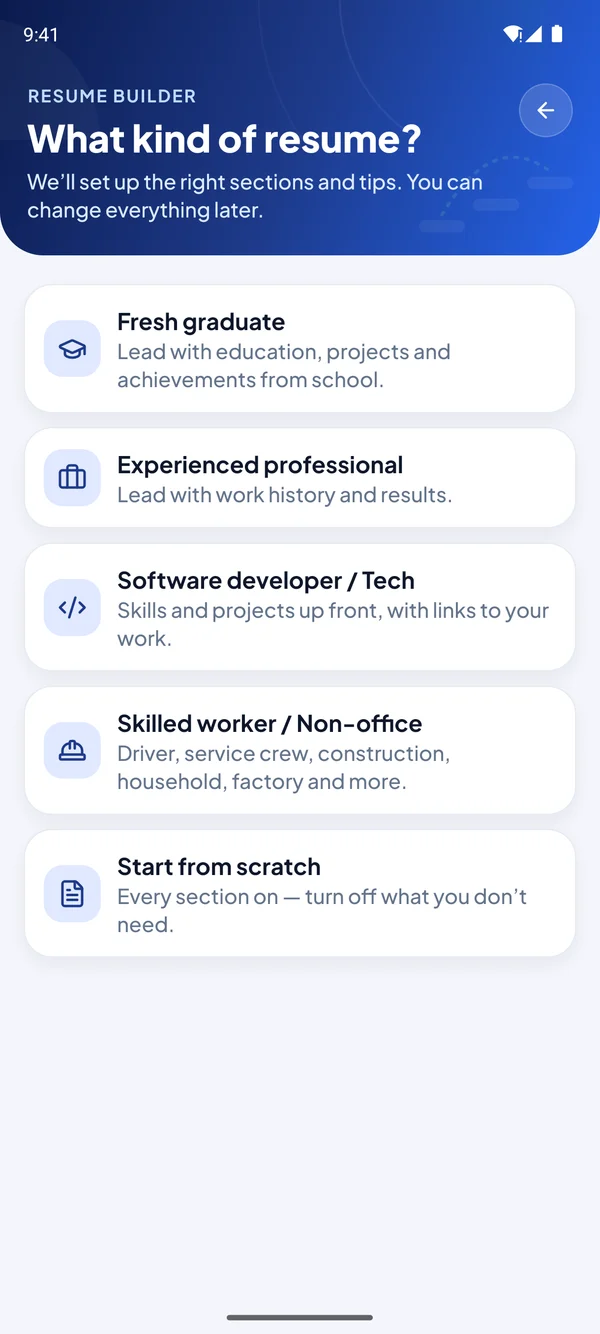
A professional resume in minutes.
Pick the kind of resume that fits you, fill in the sections, and export a clean PDF that’s ready to send.
- Made for fresh grads, experienced pros, tech, and skilled workers
- AI helps write your summary and sharpen your bullet points
- Export to PDF and share straight from your phone
Small details that make a big difference.
Works offline
Log in once with internet, then keep adding and editing jobs, requirements and your resume with no signal. Everything syncs when you’re back online. Signed out? Logging back in needs internet, unless fingerprint unlock is on.
Push reminders
Interviews, follow-ups, expiring documents and a Monday summary of your week, on every phone you use.
Updates in the app
New versions download and install right inside KayaJob, with a short list of what’s new.
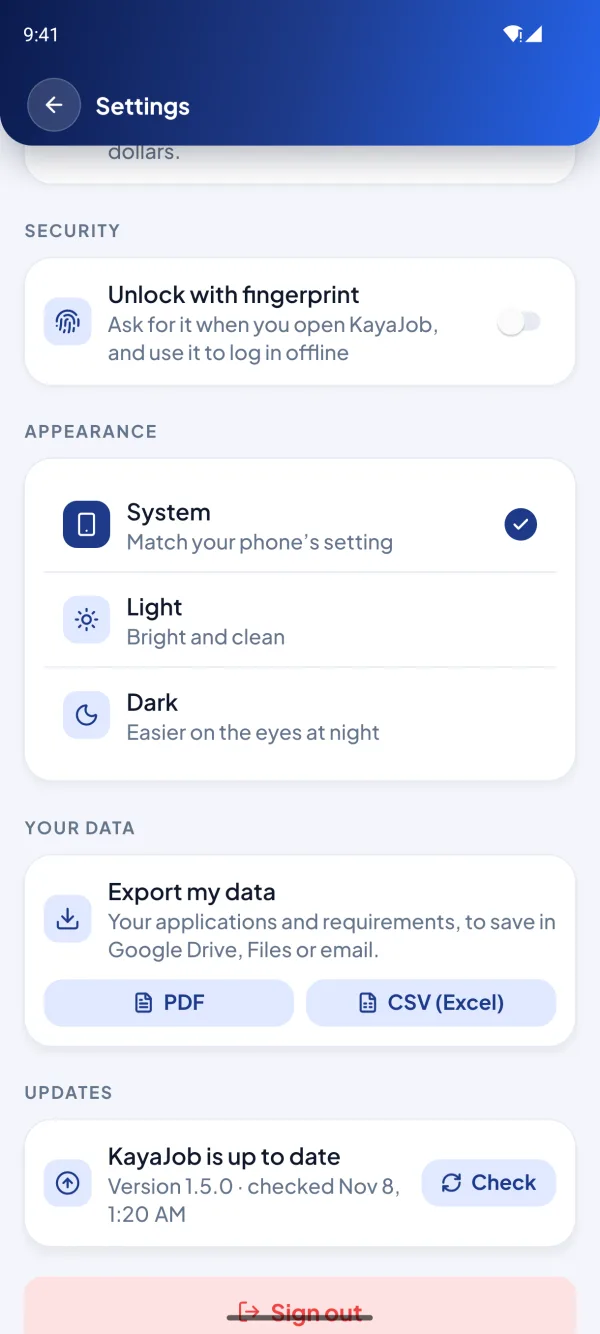
Export your data
Your applications and requirements as a PDF or CSV, saved to your own Google Drive or files.
Fingerprint login
Keep it private with your fingerprint, and log in with it even with no internet.
English or Tagalog
Switch the whole app to Tagalog in Settings → Language, on your phone and on the web. Interview questions and AI feedback stay in English, since that’s what you’ll practice for.
Speak your answers
Tap the mic in the AI coach and talk. Your words appear as you speak, right inside the app. It asks for the microphone only when you use it.
Share to KayaJob
Found a job post on Facebook or JobStreet? Share it to KayaJob and it fills in the company and role for you.
Your next step
The home screen shows what matters now: an interview tomorrow, a follow-up due, or a document about to expire.
Undo in a tap
Deleted or moved a job by mistake? Tap Undo and it’s back, exactly as it was.
Offer comparison
Any number of offers, side by side: take-home after tax, fares and rent, plus bonuses and benefits.
Up and running in three steps.
Create your free account
Sign up with Google or email. It takes less than a minute.
Add the jobs you applied for
Paste the job post and KayaJob fills in the details and checks it for scams.
Prepare, practice, and go
Complete your requirements, rehearse with the AI coach, and plan your commute home.
Your job hunt is your business.
We built KayaJob so your personal documents and plans stay yours.
Private to your account
Your jobs, notes and resume can only be read by you. Each account’s data is walled off at the database level.
No copies of your IDs
The Vault is a checklist: KayaJob keeps track of what’s ready, not photos of your IDs and clearances.
Fingerprint app lock
KayaJob asks for your fingerprint or PIN when it opens, and lets you log back in with it after signing out, even with no internet.
Verified sign-in
New accounts, password resets and email changes are confirmed with a 6-digit code.
Questions? We’ve got answers.
Yes. KayaJob is free to download and use, including the AI interview coach, resume builder and KayaNav.
Your next job starts with one app.
Apply smarter, show up prepared, and get home safe. Libre, at para sa ’yo.
Scan to download
Point your phone’s camera here
Installing the APK
- 1Open the downloaded file on your phone.
- 2If asked, allow your browser or file manager to install apps.
- 3If Play Protect warns you, tap “More details” → “Install anyway”. It shows this for apps installed outside the Play Store.
- 4Open KayaJob and create your free account or log in. This first login needs internet; after that, KayaJob works offline too.
- 5That’s the last APK you install by hand: new versions show up and install right inside the app.